For EV drivers in Singapore
EV charging station locator. Find an available port nearby.
Locate EV charging points across Singapore, see which ports are available right now, and find a compatible backup location nearby when a bay is occupied. View charging and parking information, where available, before you go.
Free to use. No sign-up needed to browse. Prefer an app? Get it on iPhone or Android.
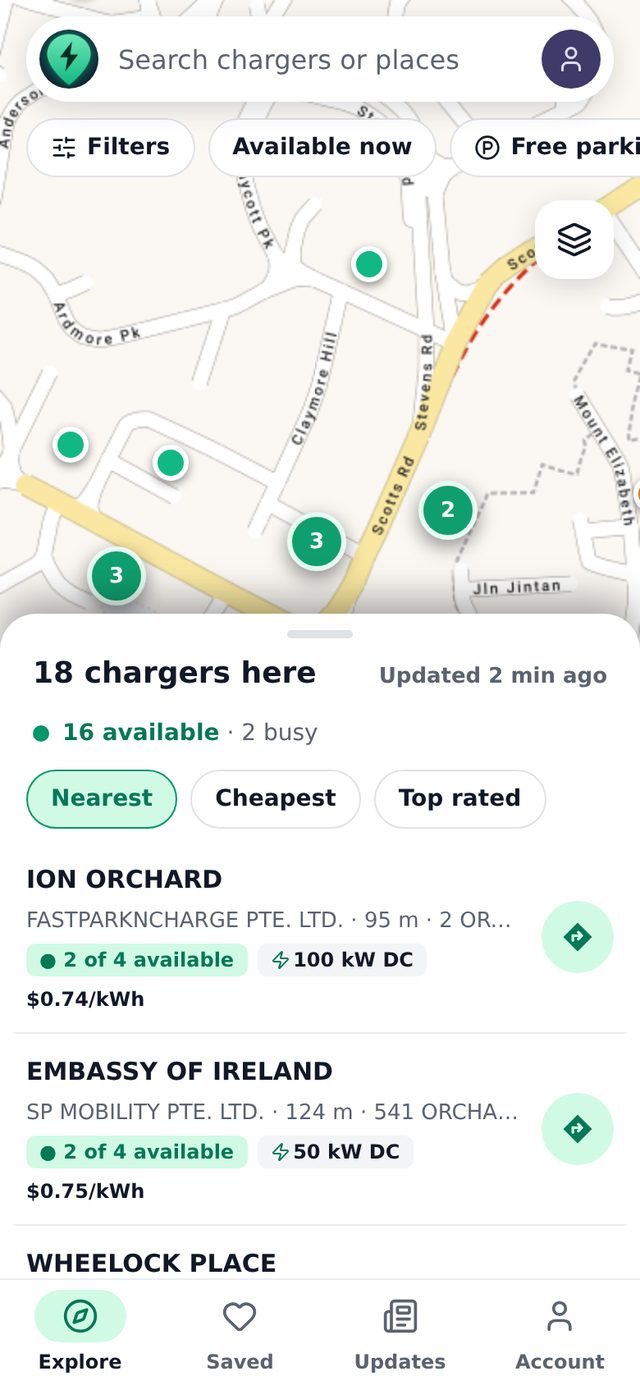
How it works
From search to plug-in in four steps
-
Find a charger
Search a place or use your location to see public chargers on the map.
-
Check its status
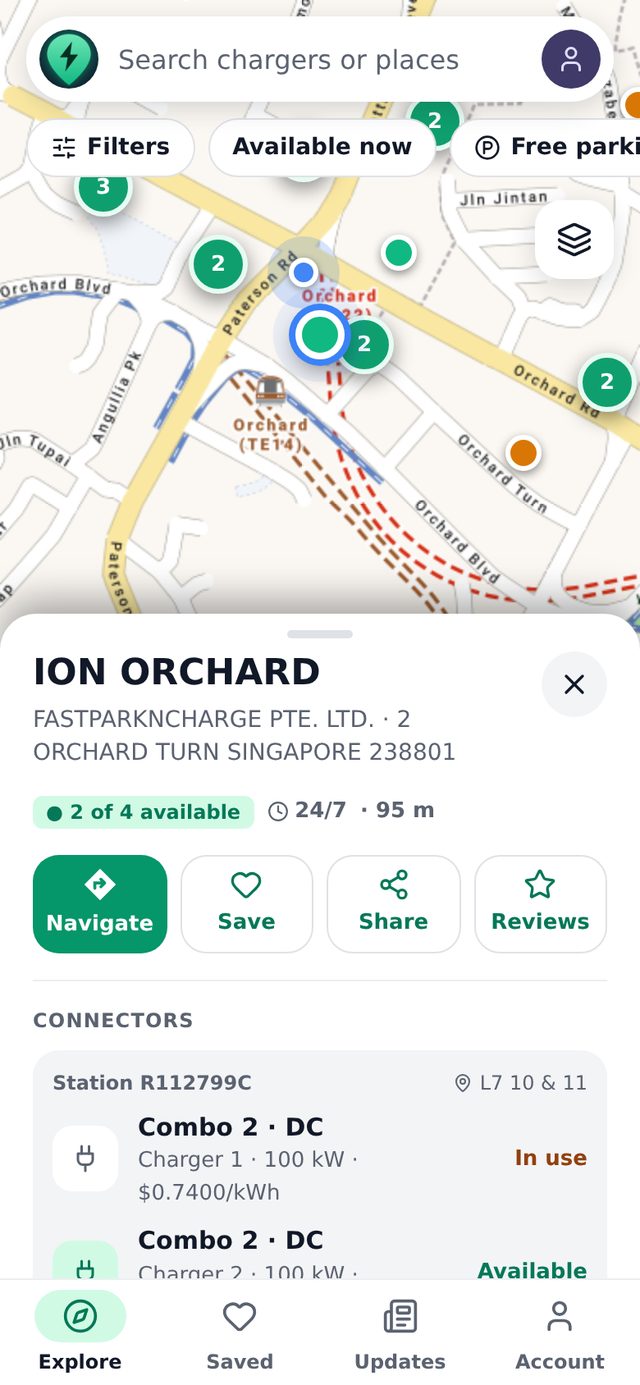
See how many connectors are available or in use, and when the status was last updated.
-
Line up a backup
Turn on "Available now" and pick another compatible charger close by.
-
Navigate
Tap Navigate to open directions in Apple Maps on iPhone, your maps app on Android, or Google Maps on a computer.
Charger discovery
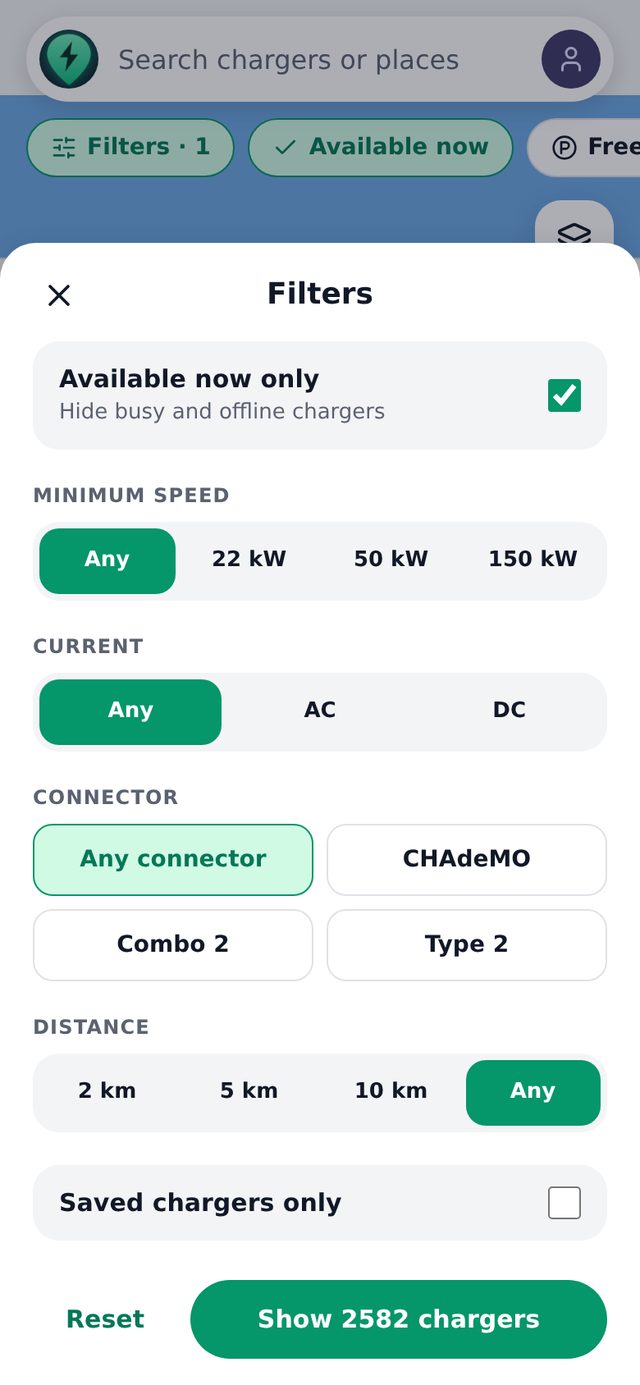
Show only the chargers that fit your car
Public EV charging points across Singapore, listed from LTA DataMall, on one map. Narrow the locations down in a few taps.
Available now only. Show only free ports and bays. Hide those that are busy, offline or have no current status.
AC or DC, and connector. Type 2, Combo 2 (CCS2) or CHAdeMO.
Minimum charging speed. 22, 50 or 150 kW and up.
Distance. Within 2, 5 or 10 km of you or the place you searched.
Status comes from operators' public data and is refreshed regularly, not second by second. The app shows when it was last updated and marks chargers that have no current status.
Nearby alternatives
First choice taken? Your backup is a tap away
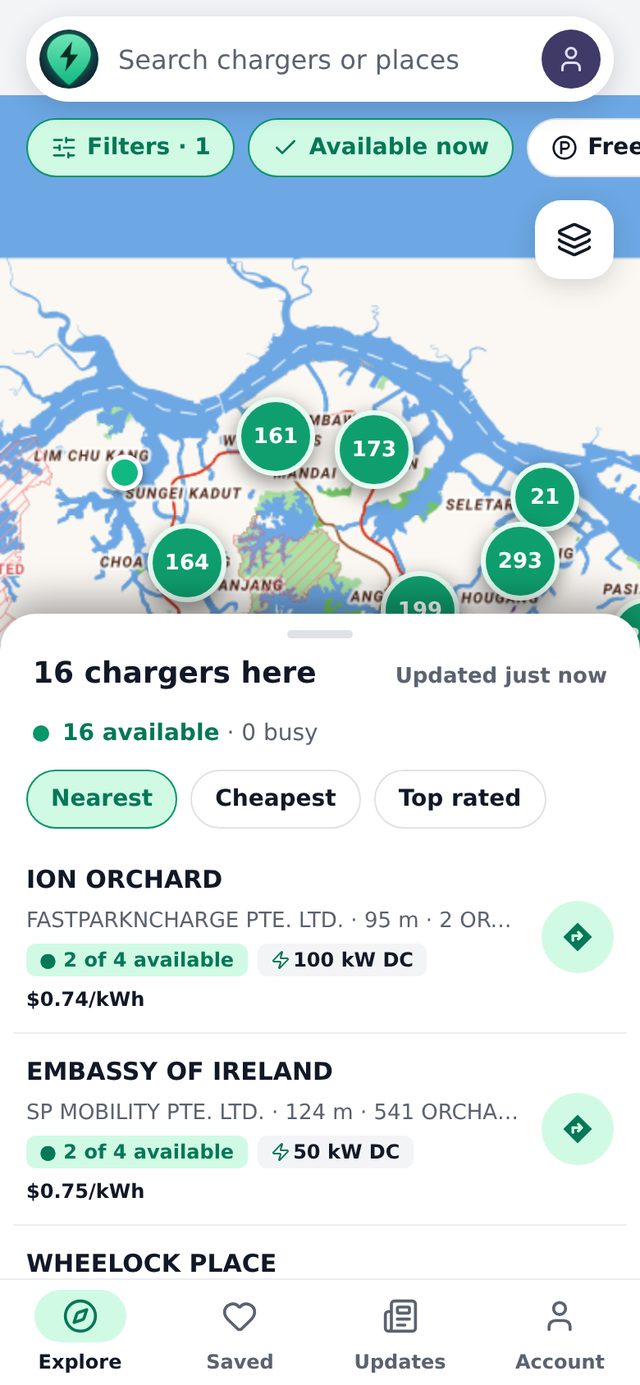
Bays fill up. Before you set off, or when you arrive to find yours occupied, check what else is close by.
Search where you're going, or use your location. The list sorts by nearest to that spot.
Turn on "Available now" and set your connector, so only chargers your car can use with a free connector remain.
Compare and go. Each result shows distance, available connectors, speed and price where published. Save the ones you use often.
Charging prices and parking
Know the charging price and parking rate, where we have them
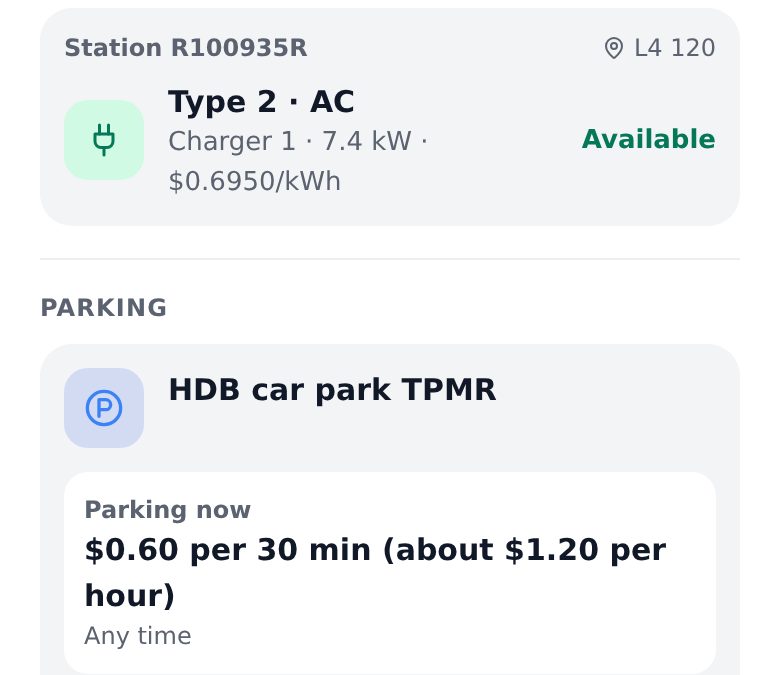
Charging and parking are often billed separately. Where2Charge shows both side by side when the information is available, and tells you when it isn't.
Charging prices
- Published prices are shown per kWh, for each connector.
- Some prices are added by drivers and labelled as community prices.
- Not every charger has a price yet. When a price is missing, none is shown; it is never displayed as $0 or as free charging.
Parking information
- "Parking now" shows the rate for the current Singapore time, with its source, such as "Official HDB rate".
- Rates come from public HDB, LTA, JTC and URA data, plus driver reports.
- Coverage isn't complete. If we can't find or read a rate, the app says "Parking fee unknown". If the car park match is uncertain, it asks you to check the signs on site.
Checked by drivers
Answer "Is this parking fee right?" or report a different fee with a photo of the rate sign. The "Free parking" filter only includes car parks whose rate data says parking is free right now. An unknown rate is never counted as free.
Built with drivers
Reviews, saved chargers and your feedback
Browsing needs no account. Sign in when you want to save chargers or share what you found.
Driver reviews. Rate a charger and add a photo. Was it working, easy to find, worth the trip? Reviews can be reported in the app, and reports are checked within 24 hours.
Saved chargers. Keep your regular spots in the Saved tab, and filter the map to show only them.
Fill the gaps. Add a missing charger or a price, and confirm or report parking fees, so the next driver knows.
Or tap "Send feedback" in the app. We read every message.
Your next charge, with a backup ready
Open Where2Charge in your browser now, or get the app for iPhone or Android.
Launch Live Map (opens the web app in a new tab)Free to use. No sign-up needed to browse.

For Singapore Charge Point Operators (CPOs)
Public chargers are already listed from LTA DataMall. To list your EV chargers on the map and share live availability and tariffs through an OCPI 2.2.1 API integration, see how it works.
Supported Networks
Supported Networks
Real-time availability for SP Mobility, Charge+, CDG Engie, and HDB carpark chargers.
- SP Mobility
- Charge+
- CDG Engie
- HDB carparks
Resources
EV charging guides for Singapore drivers
Rates, idle fees and practical tips, so you know what to expect before you plug in.
-
Guide
The Hidden Cost of EV Charging: Why a Capped Idle Fee Can Cost as Much as a Full Charge
A capped EV idle fee of $40 can cost more than the $27.60 charge itself. See how idle fee caps work in Singapore and how to avoid paying them.
Read the guide -
Guide
Singapore's EV Charging Price Gap: How to Save Money on Every Charge
Singapore EV charging prices 2026: see the price gap by operator, AC vs DC, why the cheapest charger may be restricted, and how to save on every charge.
Read the guide -
Guide
The Complete Guide to HDB EV Charging Rates (2026)
HDB EV charging rates in 2026: the S$0.66/kWh benchmark, AC vs DC, East Singapore price protection, idle fees and how to find a free charger.
Read the guide
FAQ
Frequently asked questions
How do I check HDB EV charger availability?
You can check live HDB EV charger availability instantly on Where2Charge. Our map shows which charging points and bays are open in HDB carparks across Singapore, so you know before you drive.
Which Singapore EV charging networks do you support?
Where2Charge currently supports live availability tracking for charging points on major networks including SP Mobility, Charge+, CDG Engie, and HDB carpark chargers.
How do I find an EV charger nearby?
Open the Where2Charge map, then search a place or use your location. Charging points are listed nearest first, and you can turn on “Available now” to hide occupied bays and filter by connector type and speed to see only the ports your car can use.
How do I find a free EV charger in Singapore?
It depends what “free” means. If you want a charger that is free to use right now, meaning not occupied, turn on “Available now” on the Where2Charge map to see only ports with a free connector. If you want charging at no cost, note that public EV charging points in Singapore are generally priced per kWh. Where2Charge shows the published price for each connector, and when a price is missing it is never shown as $0 or free. To save on parking, use the “Free parking” filter, which only includes carparks whose rate data says parking is free right now.
Is Where2Charge free to use?
Yes, Where2Charge is completely free to use. There are no logins required to find EV charging locations, check which ports are available or compare charging prices.